Last updated: 2026-03-04 01:47:21Solutions
Solution 01-01
[[0.8672246533111945, 0.6438421292004636],
 [0.07574495172138951, 0.13084657283678924],
 [0.4443287285569485, 0.6332320437095613],
 [0.5575327066349794, 0.39278066054598815],
 [0.6824640446594663, 0.4557950762848606],
 [0.14800190799388802, 0.6545227584039292],
 [0.4879925503002518, 0.16194753026651687],
 [0.917920572825771, 0.5891970909478906],
 [0.7766615643664004, 0.4116257688466979],
 [0.7392103667274275, 0.7146024612175764]]
Solution 01-02
[1, 0, 0]Solution 02-01
array([[  1,   2,   3,   4,   5,   6,   7,   8,   9,  10],
       [  2,   4,   6,   8,  10,  12,  14,  16,  18,  20],
       [  3,   6,   9,  12,  15,  18,  21,  24,  27,  30],
       [  4,   8,  12,  16,  20,  24,  28,  32,  36,  40],
       [  5,  10,  15,  20,  25,  30,  35,  40,  45,  50],
       [  6,  12,  18,  24,  30,  36,  42,  48,  54,  60],
       [  7,  14,  21,  28,  35,  42,  49,  56,  63,  70],
       [  8,  16,  24,  32,  40,  48,  56,  64,  72,  80],
       [  9,  18,  27,  36,  45,  54,  63,  72,  81,  90],
       [ 10,  20,  30,  40,  50,  60,  70,  80,  90, 100]])
Solution 02-02
[34.562429, 34.94056, 29.554168, 31.663251]Solution 02-03
| name | count | |
|---|---|---|
| 12 | Germany | 9 |
| 30 | Serbia | 8 |
| 38 | Russia | 8 |
| 14 | Hungary | 7 |
| 1 | Austria | 7 |
| 36 | Ukraine | 7 |
Solution 03-01
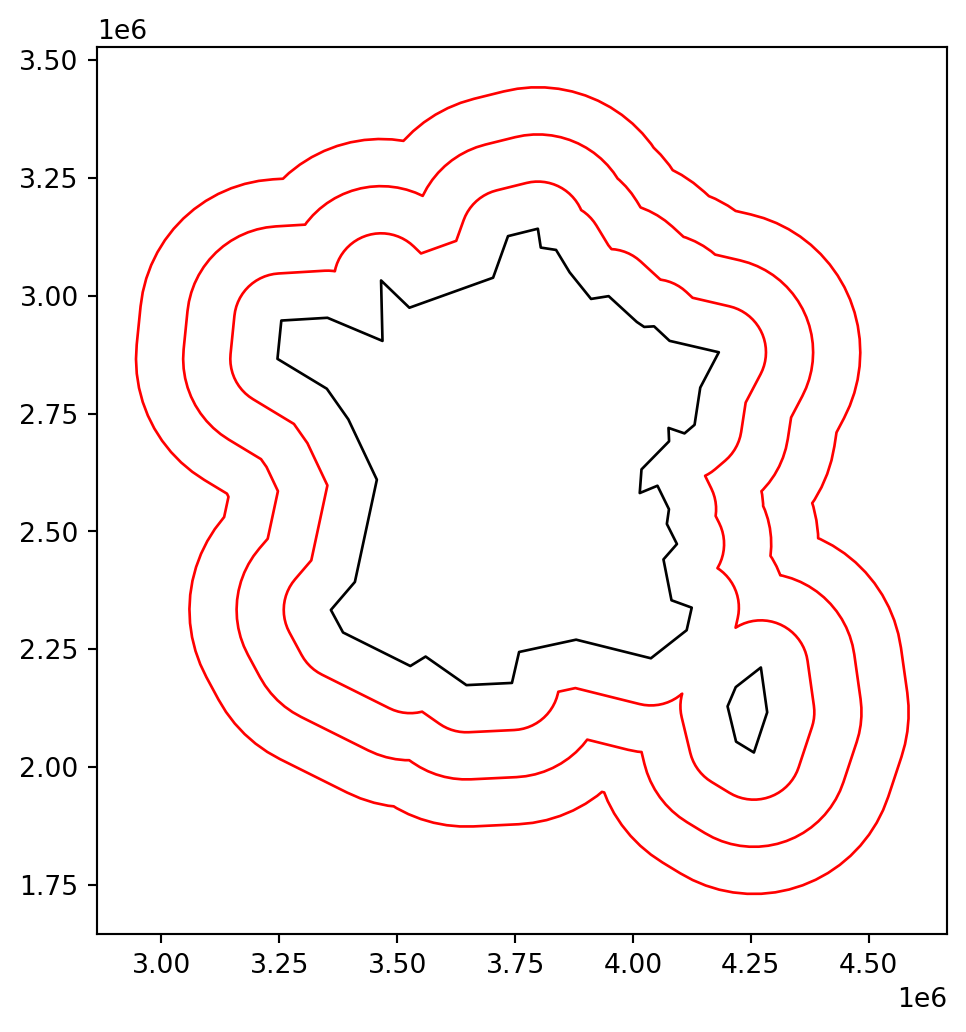
Solution 03-02
| name | dist_km | |
|---|---|---|
| 11 | France | 0.000000 |
| 28 | Portugal | 0.000000 |
| 17 | Italy | 381029.376539 |
| 35 | Switzerland | 485335.895633 |
| 12 | Germany | 670501.991578 |
| 37 | United Kingdom | 711267.143675 |
| 1 | Austria | 725674.020163 |
| 21 | Luxembourg | 805327.653584 |
| 3 | Belgium | 809999.970891 |
| 16 | Ireland | 885231.173008 |
Solution 03-03
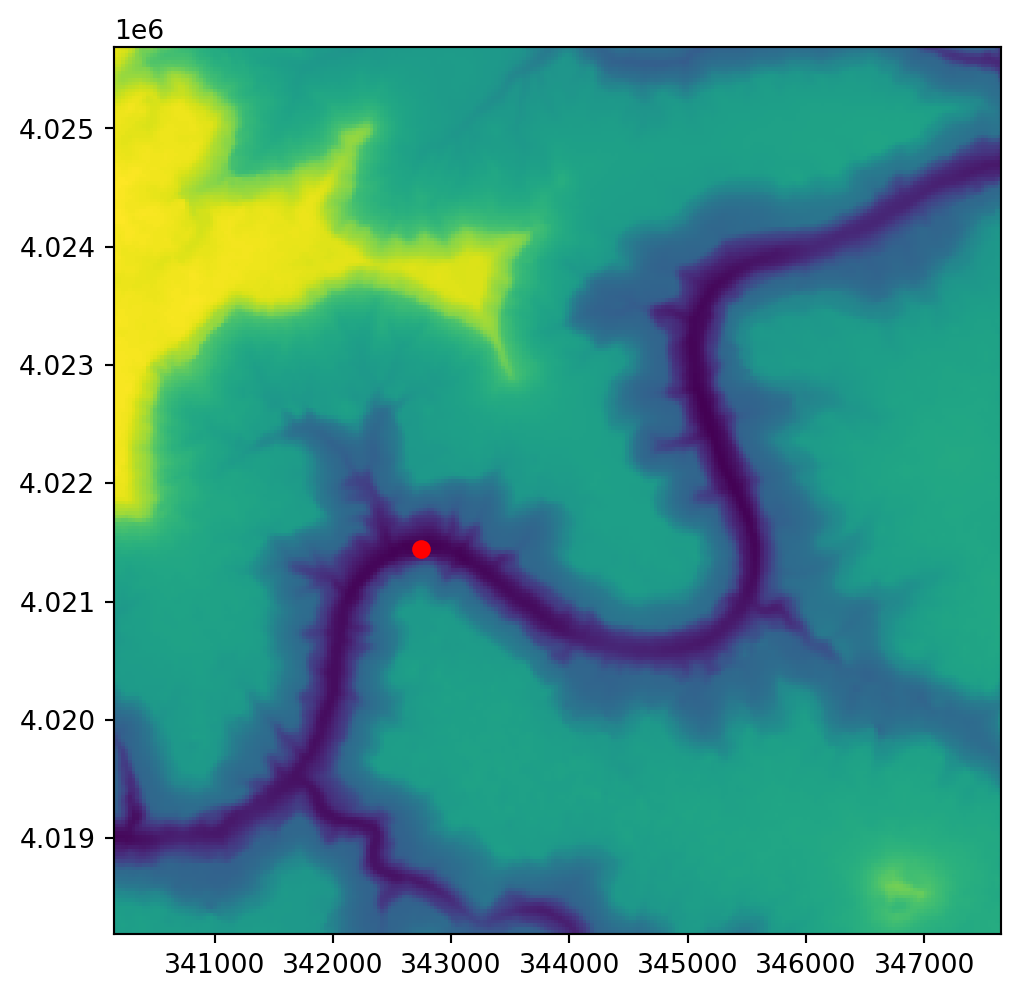
Solution 04-01
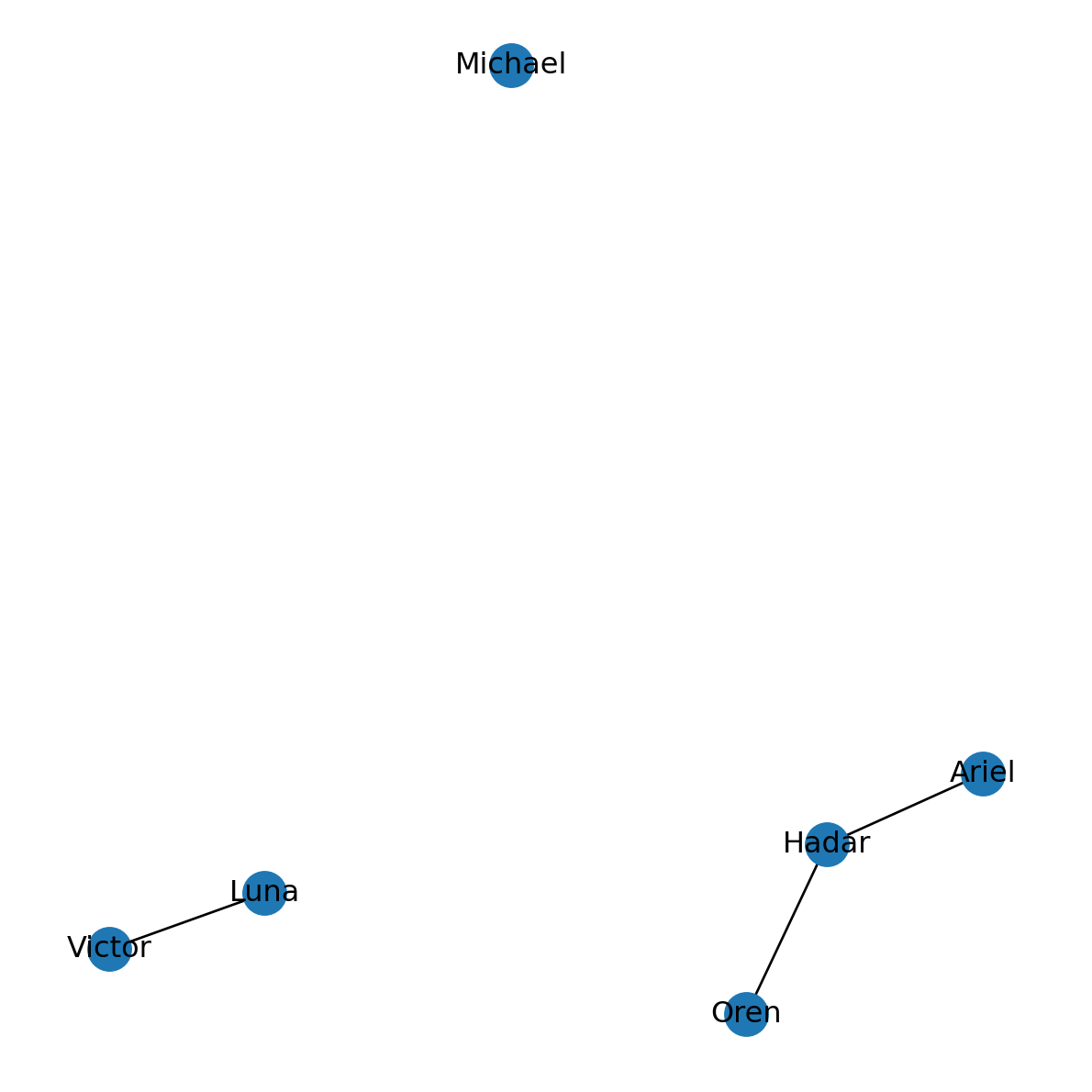
Solution 04-02
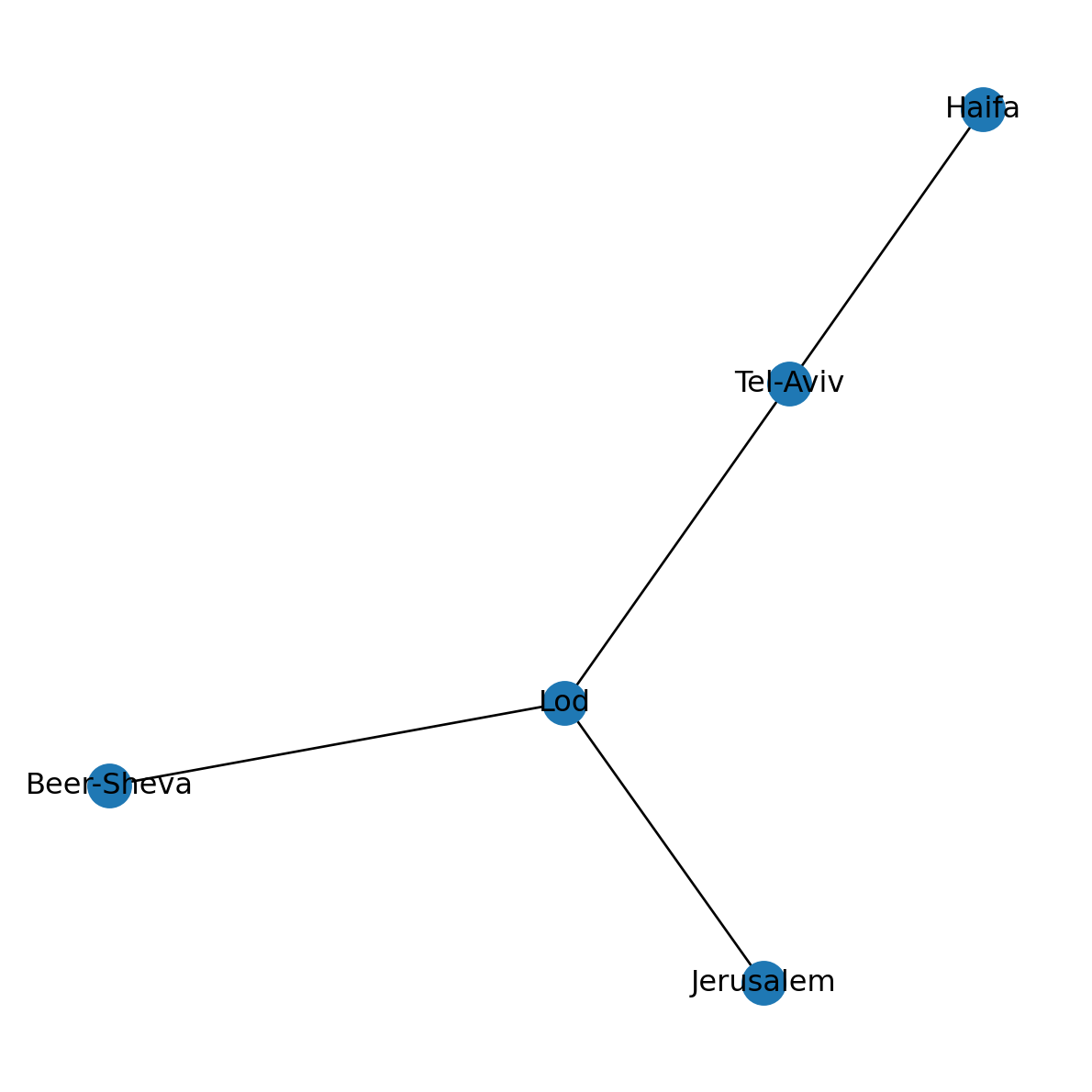
Solution 04-03
Maximum degree:('Germany', 9)Maximum betweenness centrality:('Germany', 0.24786941365888732)Number of components (original):3Number of components (modified):1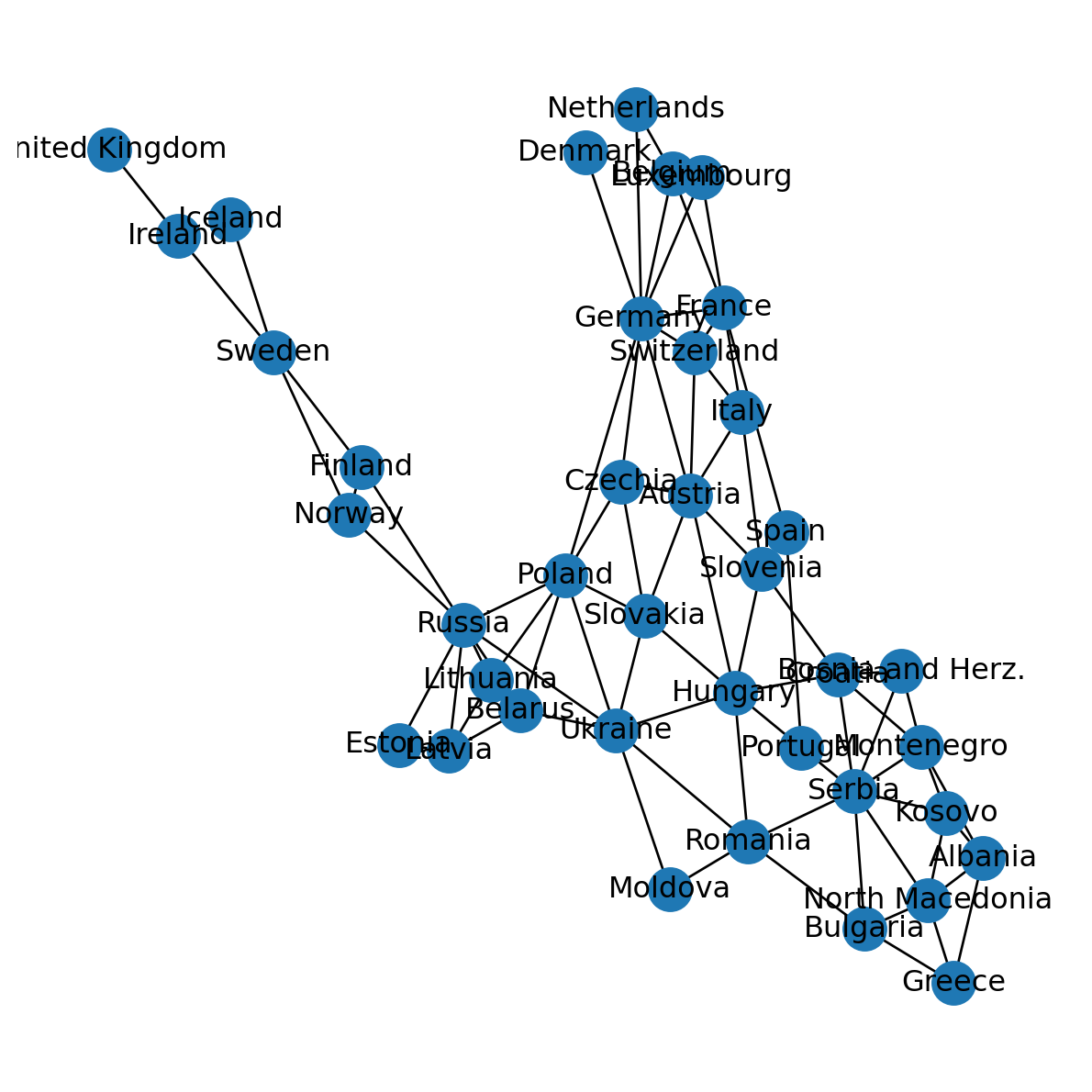
Solution 05-01
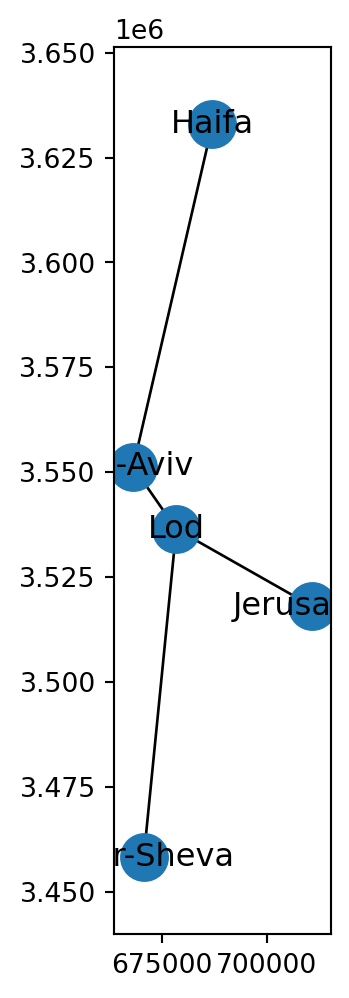
Solution 05-02
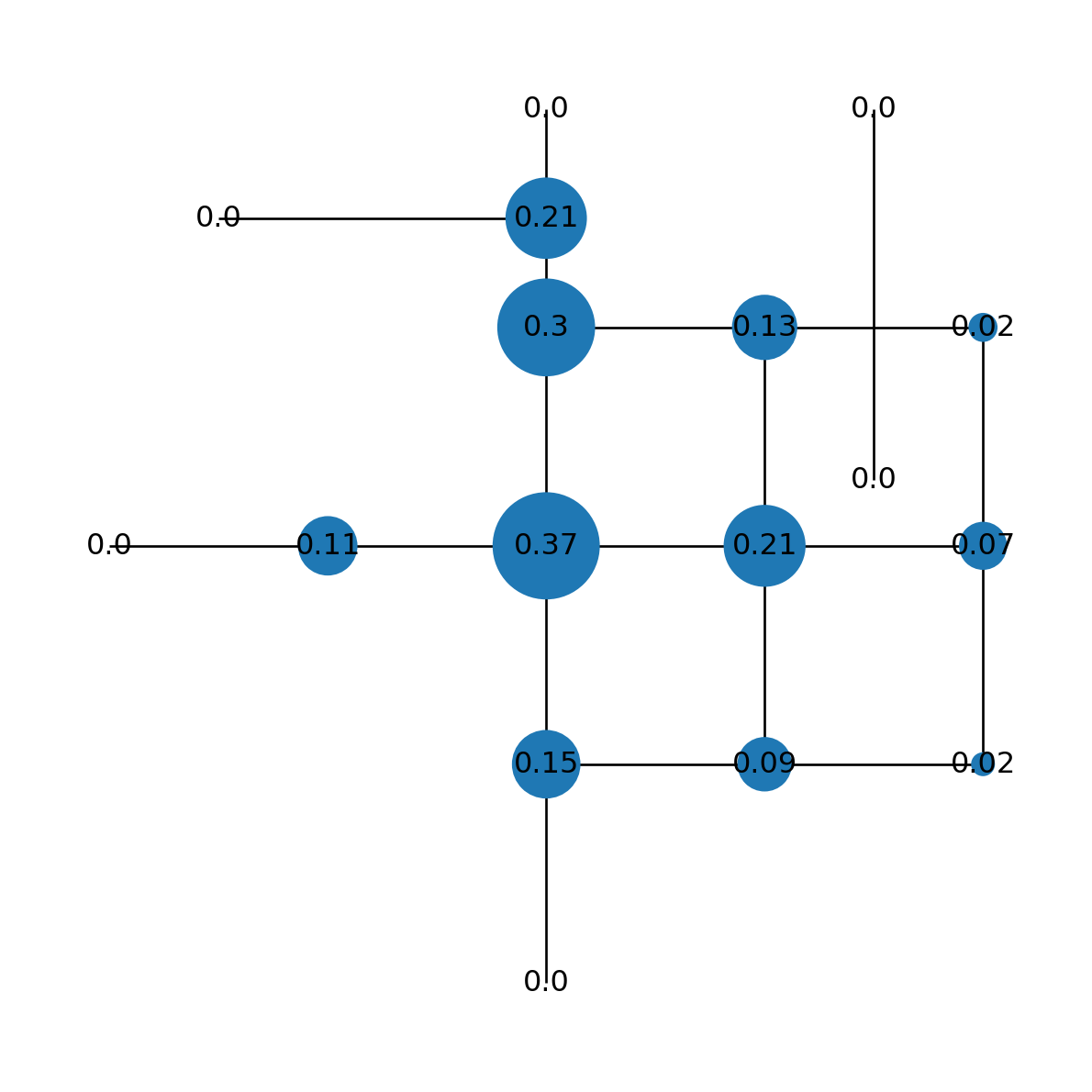
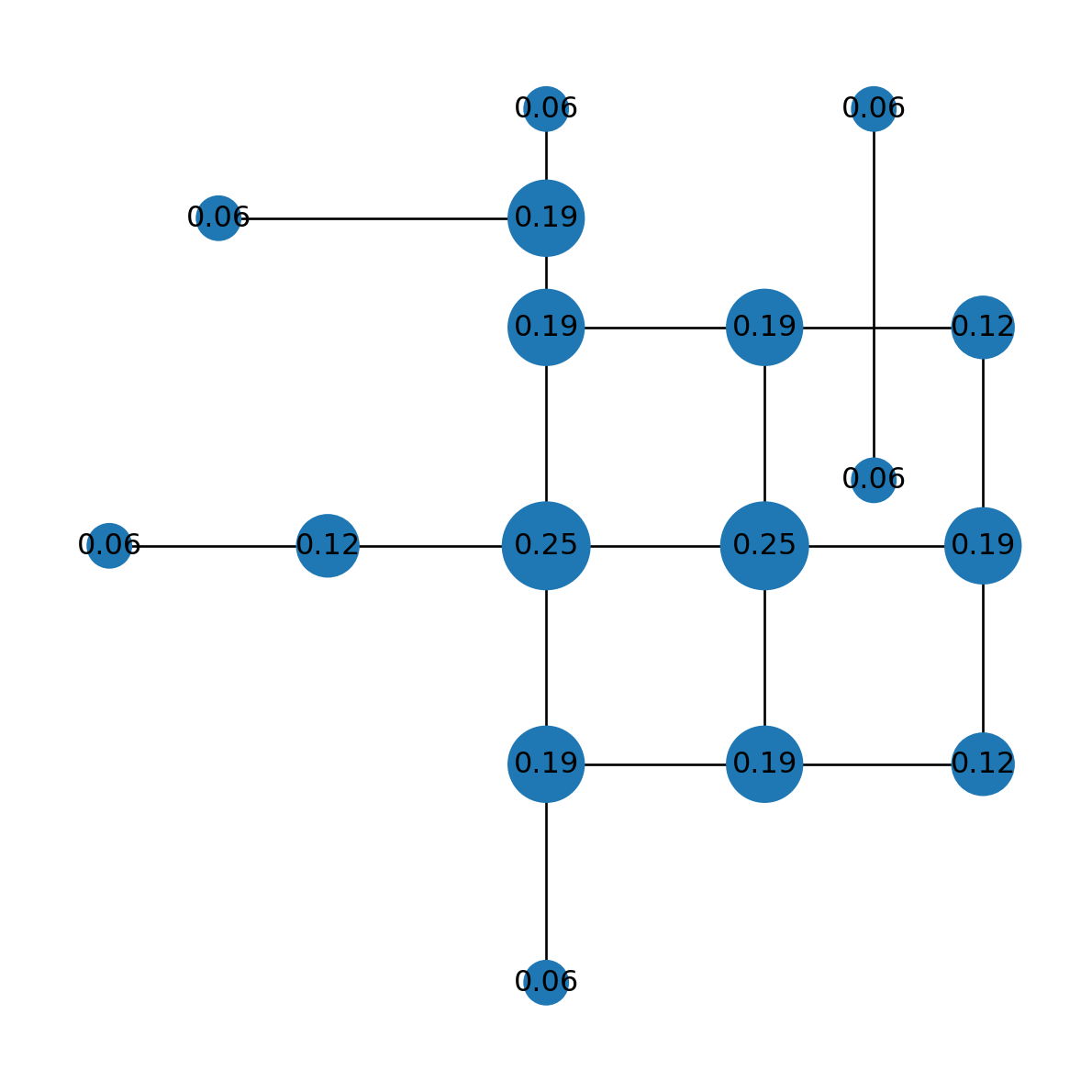
Solution 05-03
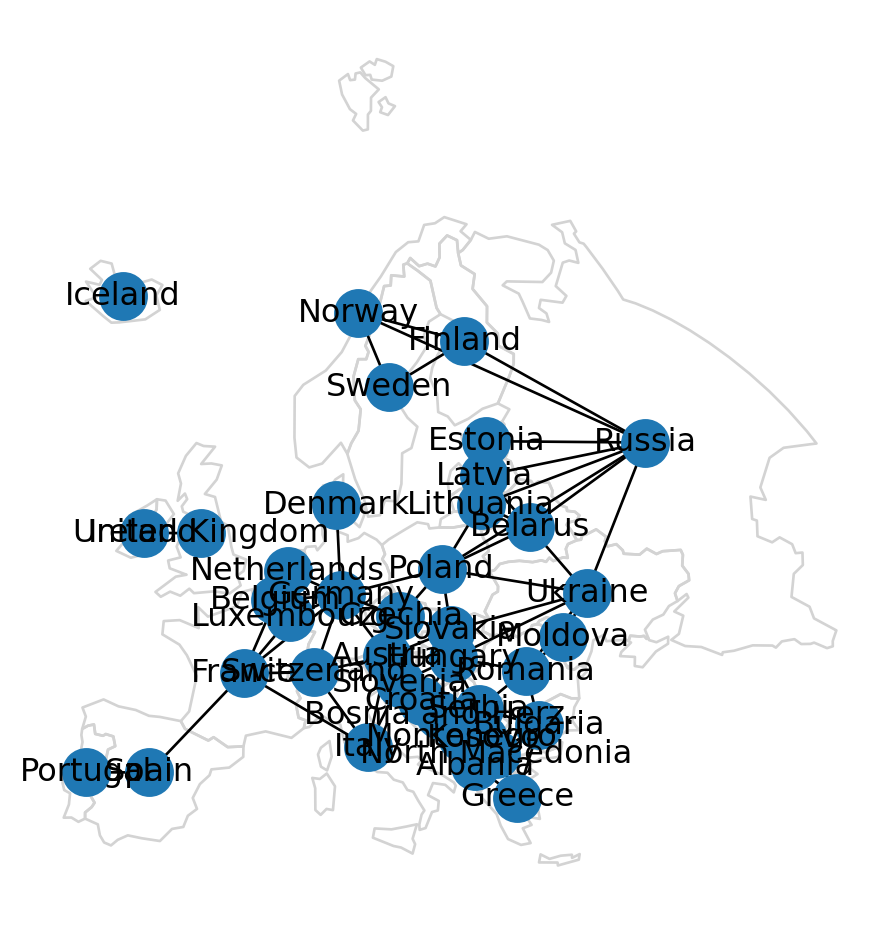
Solution 06-01
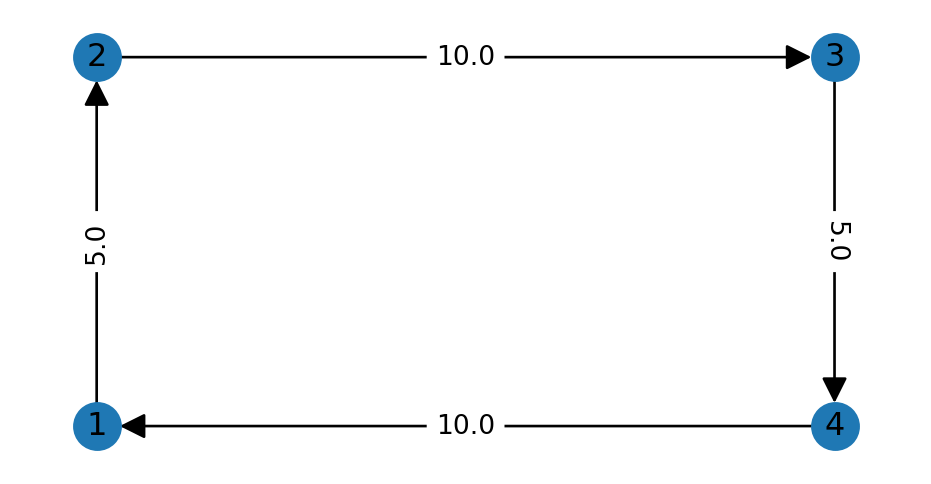
Solution 06-02
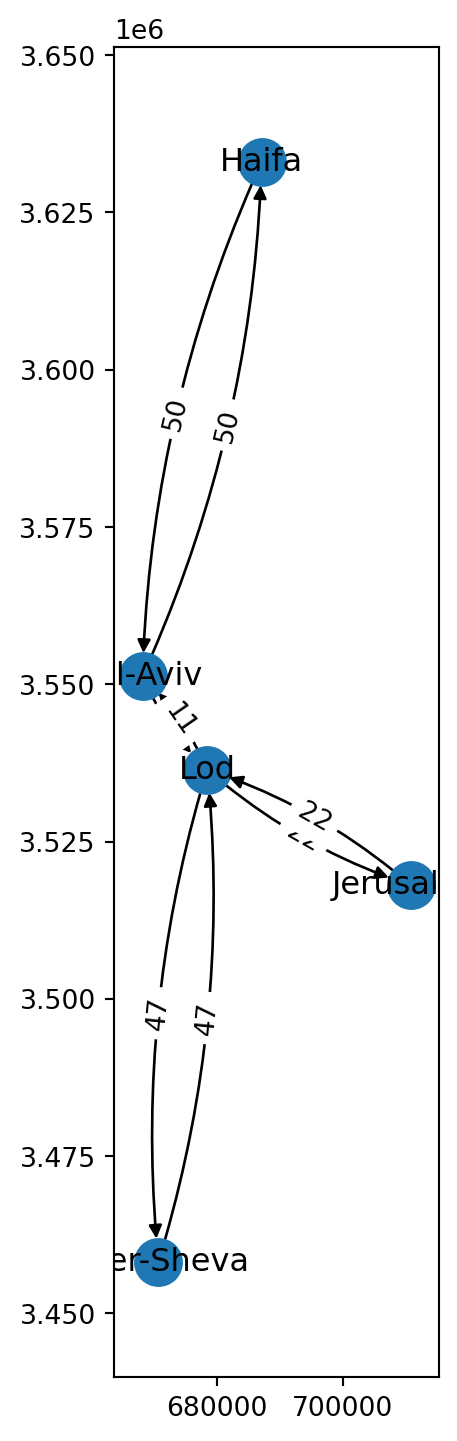
Solution 06-03
import matplotlib.pyplot as plt
import pandas as pd
import geopandas as gpd
import networkx as nx
import net2
# Table
dat = pd.DataFrame({
'origin': ['France','France','Spain','Spain','Italy','Italy'],
'destination': ['Spain','Italy','Italy','France','Spain','France'],
'value': [4628, 15020, 33736, 91923, 278, 5546],
})
dat| origin | destination | value | |
|---|---|---|---|
| 0 | France | Spain | 4628 |
| 1 | France | Italy | 15020 |
| 2 | Spain | Italy | 33736 |
| 3 | Spain | France | 91923 |
| 4 | Italy | Spain | 278 |
| 5 | Italy | France | 5546 |
# To network
G = nx.from_pandas_edgelist(dat, source='origin', target='destination', edge_attr='value', create_using=nx.DiGraph)
G
<networkx.classes.digraph.DiGraph at 0x74cff332b6b0>({'France': {'geometry': <POINT (3744078.981 2626928.516)>},
'Spain': {'geometry': <POINT (3164983.039 2018927.205)>},
'Italy': {'geometry': <POINT (4507495.567 2177607.133)>}},
{('France', 'Spain'): {'value': 4628},
('France', 'Italy'): {'value': 15020},
('Spain', 'Italy'): {'value': 33736},
('Spain', 'France'): {'value': 91923},
('Italy', 'Spain'): {'value': 278},
('Italy', 'France'): {'value': 5546}})[0.68512, 1.1008, 1.84944, 4.17692, 0.51112, 0.72184]{('France', 'Spain'): '4,628',
('France', 'Italy'): '15,020',
('Spain', 'Italy'): '33,736',
('Spain', 'France'): '91,923',
('Italy', 'Spain'): '278',
('Italy', 'France'): '5,546'}<Figure size 288x288 with 0 Axes><Figure size 288x288 with 0 Axes># Plot
pol.plot(color='none', edgecolor='lightgrey')
nx.draw(G, with_labels=True, pos=net2.pos(G), width=weights, connectionstyle='arc3,rad=0.1')
nx.draw_networkx_edge_labels(G, net2.pos(G), labels, connectionstyle='arc3,rad=0.1', font_size=8);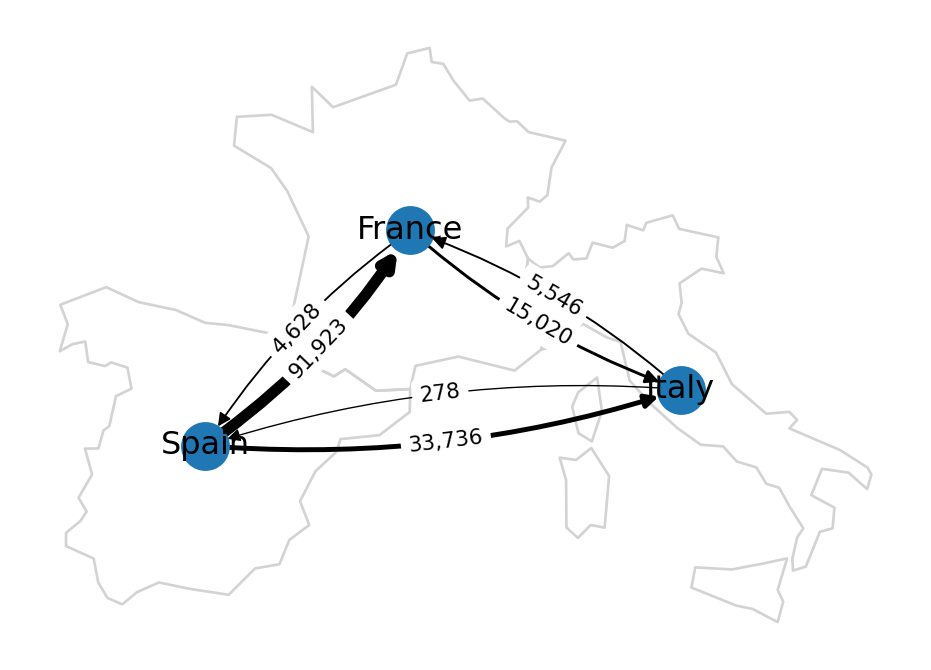
Solution 07-01
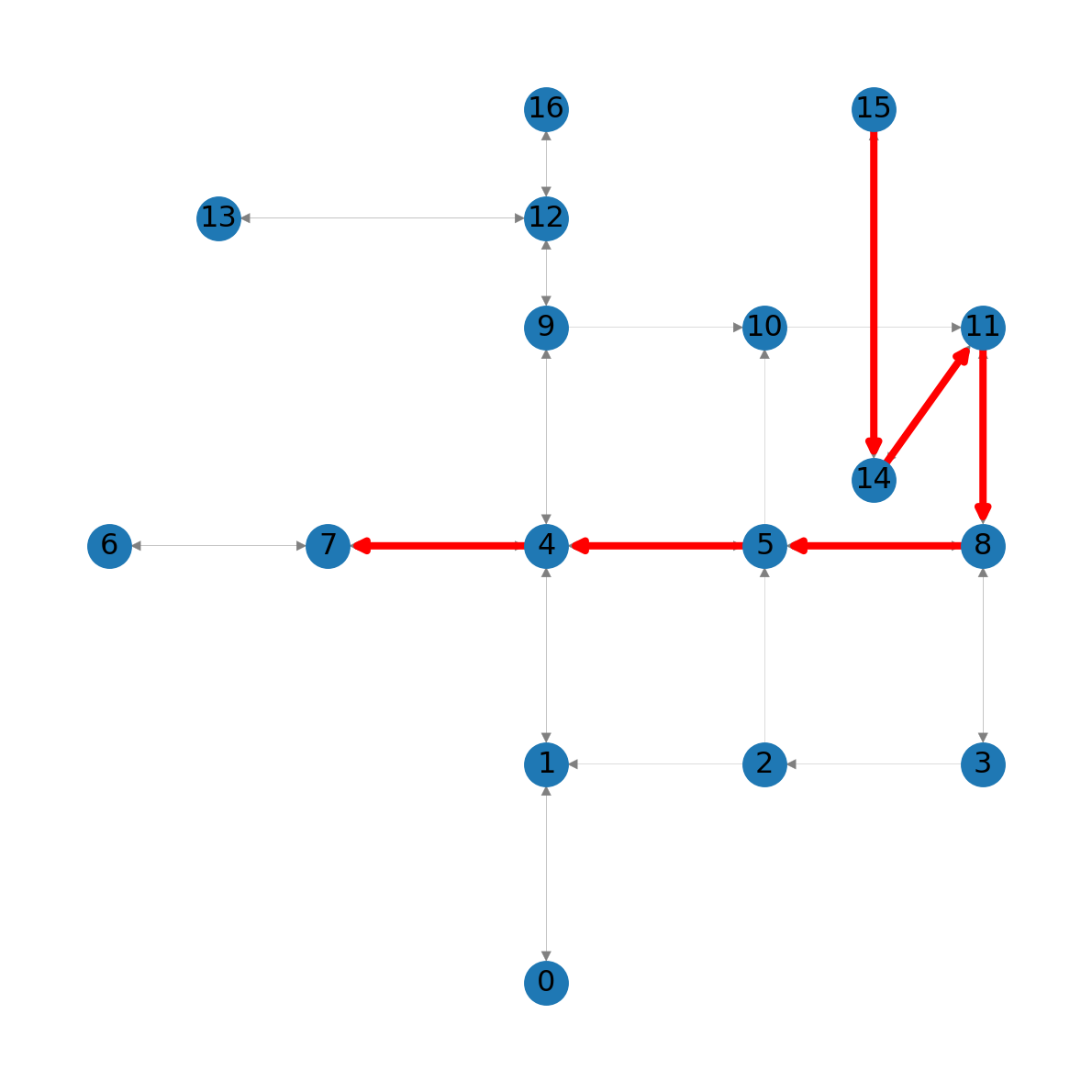
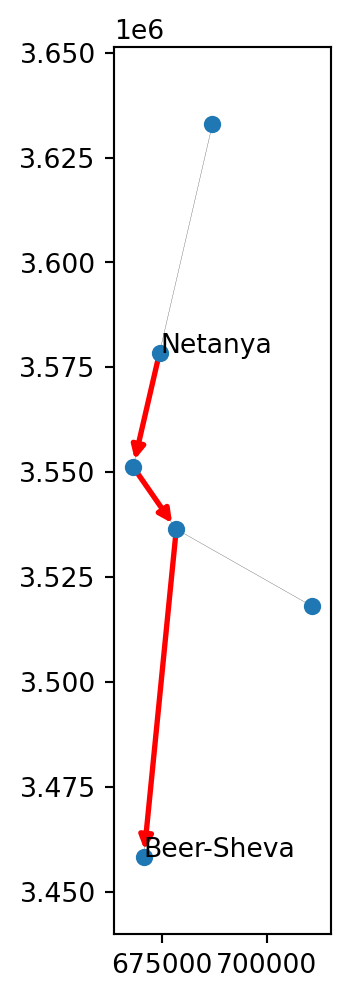
15 to node 7 in the modified road network
Solution 07-02
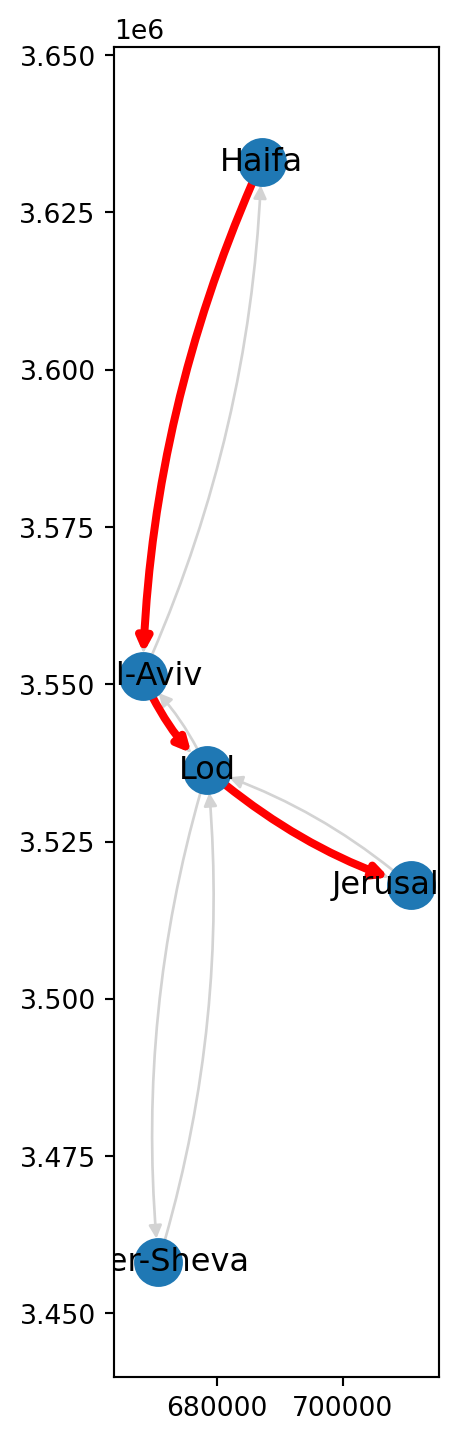
using "nx.path_weight": 83.4706491371249manual calculation: 83.4706491371249Solution 07-03
import networkx as nx
import net2
# Network
G = nx.read_graphml('output/roads2.xml')
G = net2.prepare(G)
G<networkx.classes.digraph.DiGraph at 0x74cff2effef0># Travel times
node_labels = {}
sizes = []
for i in G.nodes:
try:
route = nx.shortest_path(G, 0, i, weight='time')
time = nx.path_weight(G, route, weight='time')
except nx.NetworkXNoPath:
time = -1
time = round(time)
node_labels[i] = time
sizes.append(time * 3)# Edge labels
weights = nx.get_edge_attributes(G, 'time')
edge_labels = {k:int(v) for k,v in weights.items()}# Plot
nx.draw(G, pos=net2.pos(G), node_size=sizes)
nx.draw_networkx_labels(G, pos=net2.pos(G), labels=node_labels)
nx.draw_networkx_edge_labels(G, net2.pos(G), edge_labels);/home/michael/Sync/venv/m/lib/python3.12/site-packages/matplotlib/collections.py:999: RuntimeWarning: invalid value encountered in sqrt
scale = np.sqrt(self._sizes) * dpi / 72.0 * self._factor
/home/michael/Sync/venv/m/lib/python3.12/site-packages/networkx/drawing/nx_pylab.py:672: RuntimeWarning: invalid value encountered in sqrt
return self.np.sqrt(marker_size) / 2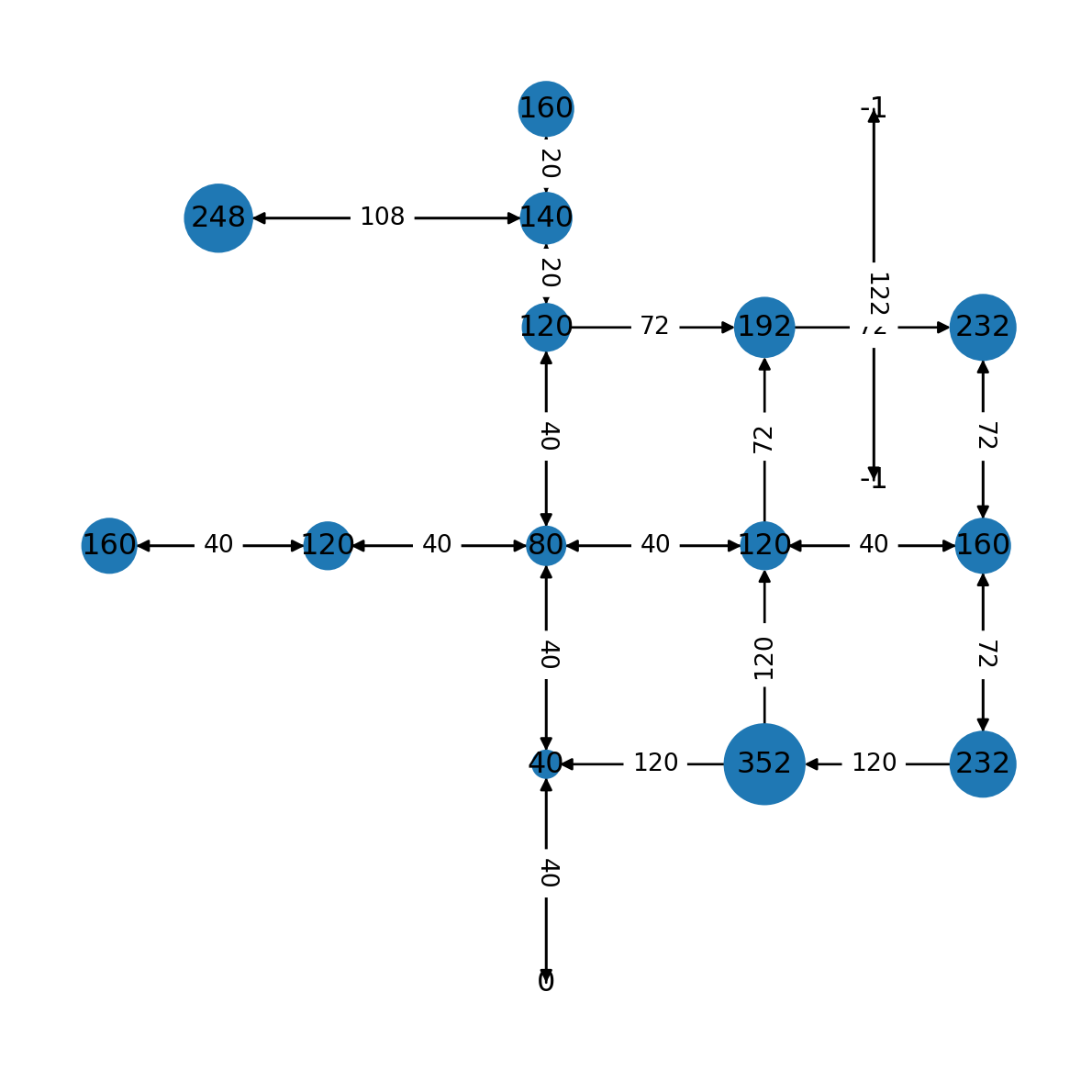
0 to all other nodes. Travel time of -1 marks unreachable nodes
Solution 08-01
Solution 08-02
import numpy as np
import shapely
import geopandas as gpd
import networkx as nx
import net2
# Read network
G = nx.read_graphml('output/roads2.xml')
G = net2.prepare(G)
G<networkx.classes.digraph.DiGraph at 0x74cff2cdff80># Generate random points
edges = net2.edges_to_gdf(G)
bounds = edges.buffer(250).total_bounds
xmin, ymin, xmax, ymax = bounds
points = []
while len(points) < 300:
random_point = shapely.Point([np.random.uniform(xmin, xmax), np.random.uniform(ymin, ymax)])
points.append(random_point)# Plot
base = gpd.GeoSeries(points).plot(color='red')
nx.draw(G, pos=net2.pos(G), with_labels=True, edge_color='lightgrey', node_color='lightgrey', ax=base);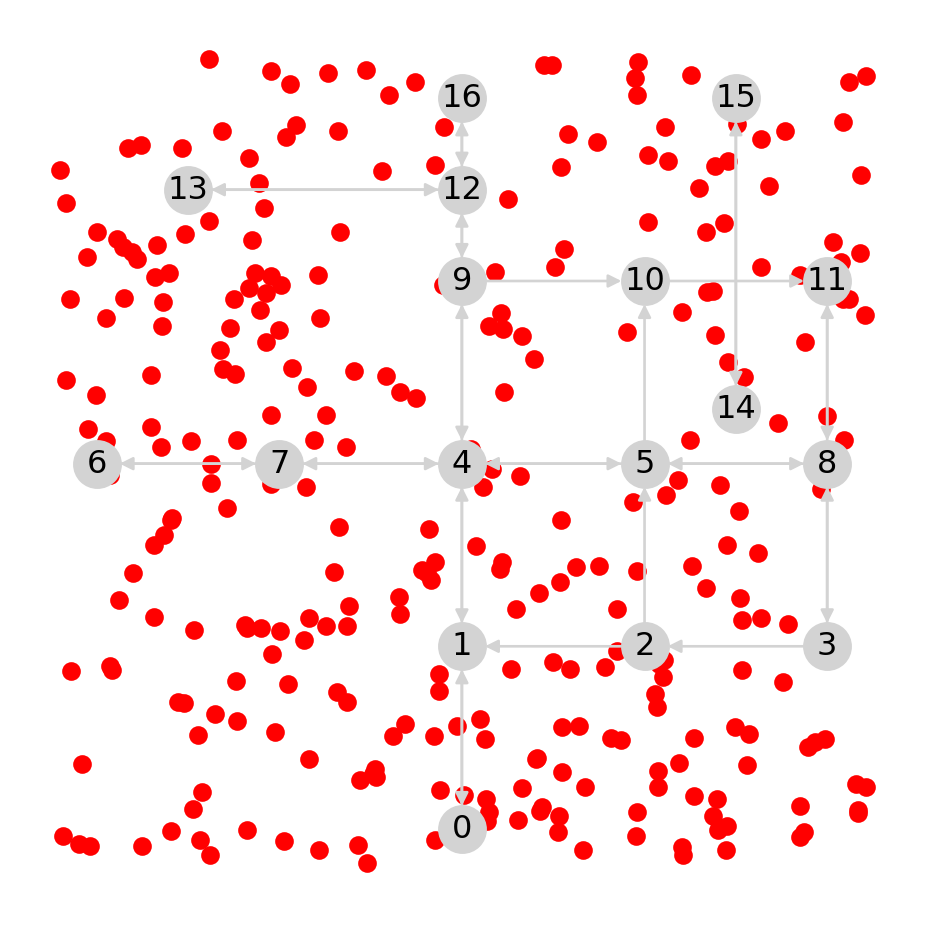
# Calculate and draw segments
lines = []
points2 = []
for i in points:
    result = net2.add_node(G, i)
    pnt2 = result[0].nodes[result[1]]
    points2.append(pnt2['geometry'])
    line = shapely.LineString([i, pnt2['geometry']])
    lines.append(line)
lines = gpd.GeoSeries(lines)
points2 = gpd.GeoSeries(points2)
# Plot
base = gpd.GeoSeries(points).plot(color='red', markersize=10, zorder=1)
lines.plot(ax=base, color='black', linewidth=1, zorder=1)
points2.plot(ax=base, color='blue', markersize=10, zorder=1)
net2.nodes_to_gdf(G).plot(ax=base, color='lightgrey', zorder=-1)
net2.edges_to_gdf(G).plot(ax=base, color='lightgrey', zorder=-1);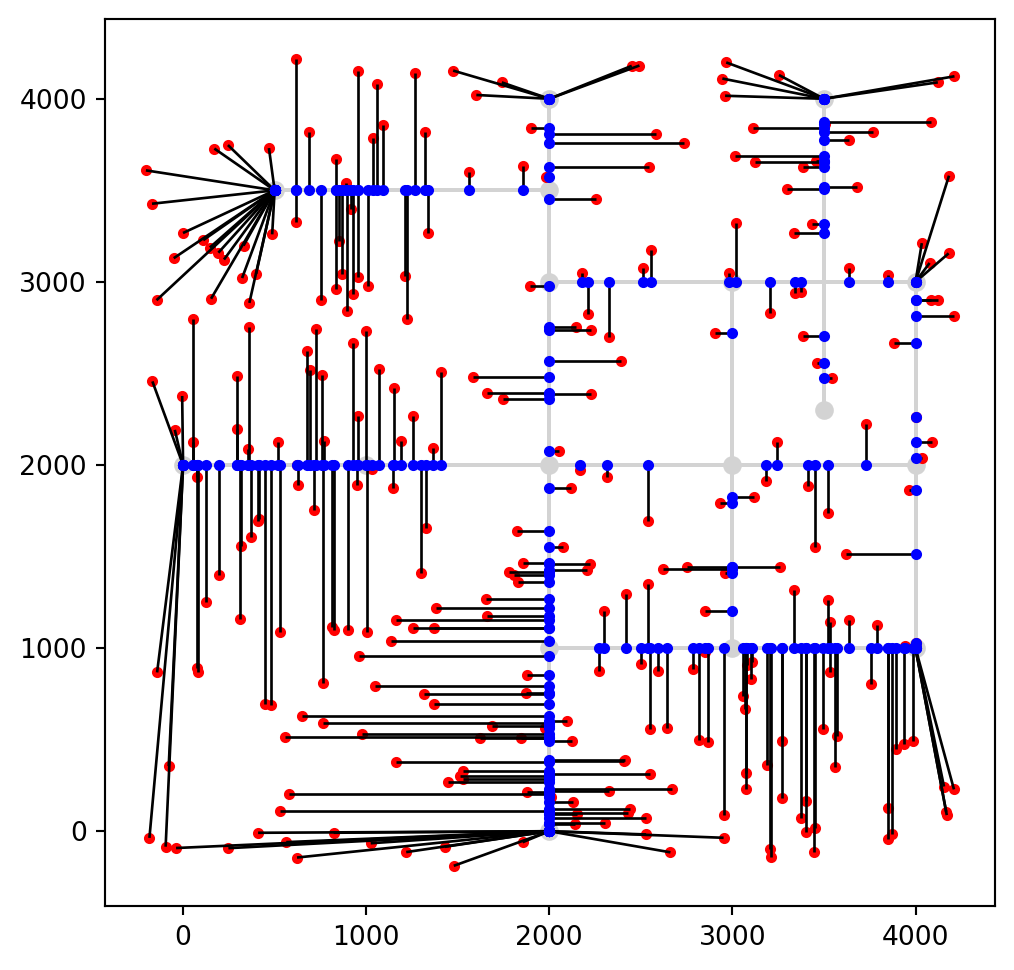
Solution 08-03
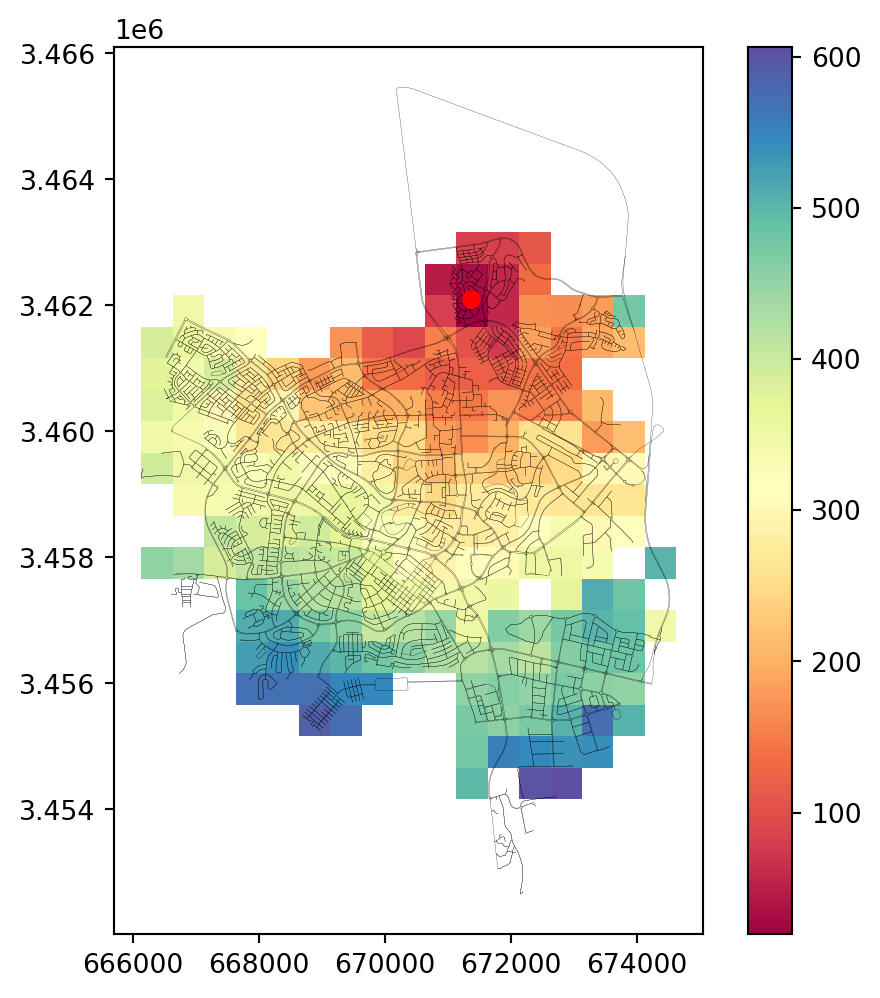
Solution 09-01
| geometry | time | |
|---|---|---|
| 0 | POLYGON ((-250 4250, 0 4250, 0 ... | 1442.773912 |
| 1 | POLYGON ((-250 4000, 0 4000, 0 ... | 1332.049276 |
| 2 | POLYGON ((-250 3750, 0 3750, 0 ... | 1266.698171 |
| 3 | POLYGON ((-250 3500, 0 3500, 0 ... | 1266.698171 |
| 4 | POLYGON ((-250 3250, 0 3250, 0 ... | 1332.049276 |
| ... | ... | ... |
| 356 | POLYGON ((4250 750, 4500 750, 4... | 1165.238436 |
| 357 | POLYGON ((4250 500, 4500 500, 4... | 1131.923142 |
| 358 | POLYGON ((4250 250, 4500 250, 4... | 1126.274788 |
| 359 | POLYGON ((4250 0, 4500 0, 4500 ... | 1148.701574 |
| 360 | POLYGON ((4250 -250, 4500 -250,... | 1197.627331 |
361 rows × 2 columns
fig, ax = plt.subplots(figsize=(8, 5))
grid.plot(column='time', cmap='Spectral_r', legend=True, ax=ax)
nx.draw(G, pos=net2.pos(G), with_labels=True)
plt.plot(pnt.x, pnt.y, 'ro');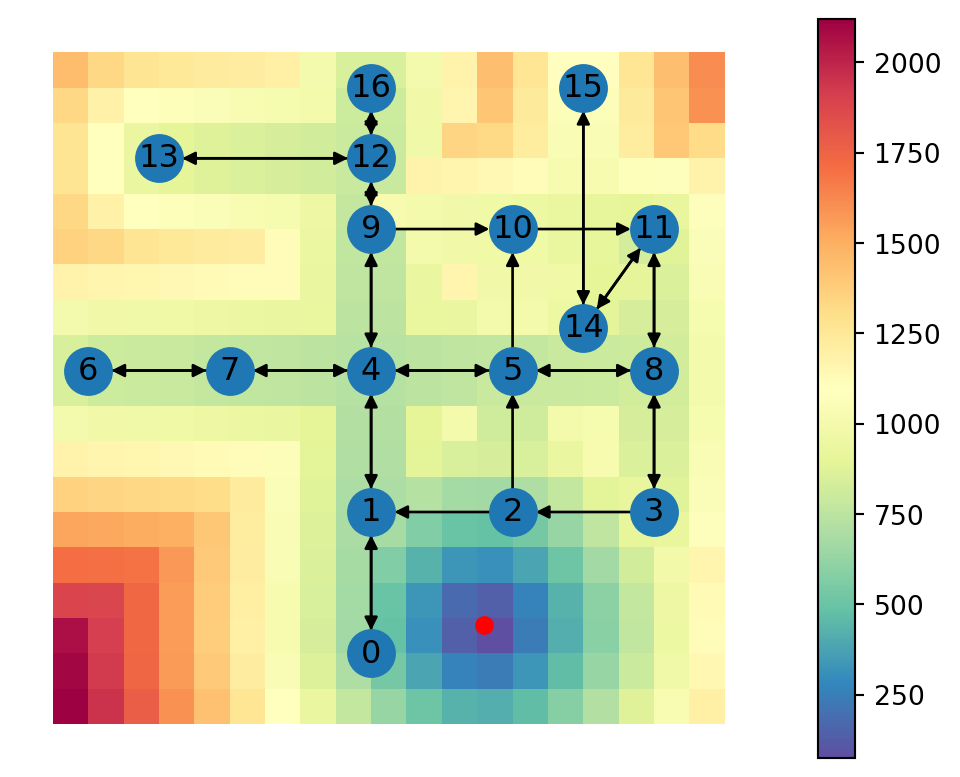
Solution 09-02
| geometry | mode | |
|---|---|---|
| 0 | POLYGON ((-250 4250, 0 4250, 0 ... | walking+driving |
| 1 | POLYGON ((-250 4000, 0 4000, 0 ... | walking+driving |
| 2 | POLYGON ((-250 3750, 0 3750, 0 ... | walking+driving |
| 3 | POLYGON ((-250 3500, 0 3500, 0 ... | walking+driving |
| 4 | POLYGON ((-250 3250, 0 3250, 0 ... | walking+driving |
| ... | ... | ... |
| 356 | POLYGON ((4250 750, 4500 750, 4... | walking |
| 357 | POLYGON ((4250 500, 4500 500, 4... | walking |
| 358 | POLYGON ((4250 250, 4500 250, 4... | walking |
| 359 | POLYGON ((4250 0, 4500 0, 4500 ... | walking |
| 360 | POLYGON ((4250 -250, 4500 -250,... | walking |
361 rows × 2 columns
fig, ax = plt.subplots(figsize=(8, 5))
grid.plot(column='mode', cmap='Spectral_r', legend=True, ax=ax)
nx.draw(G, pos=net2.pos(G), with_labels=True)
plt.plot(pnt.x, pnt.y, 'ro');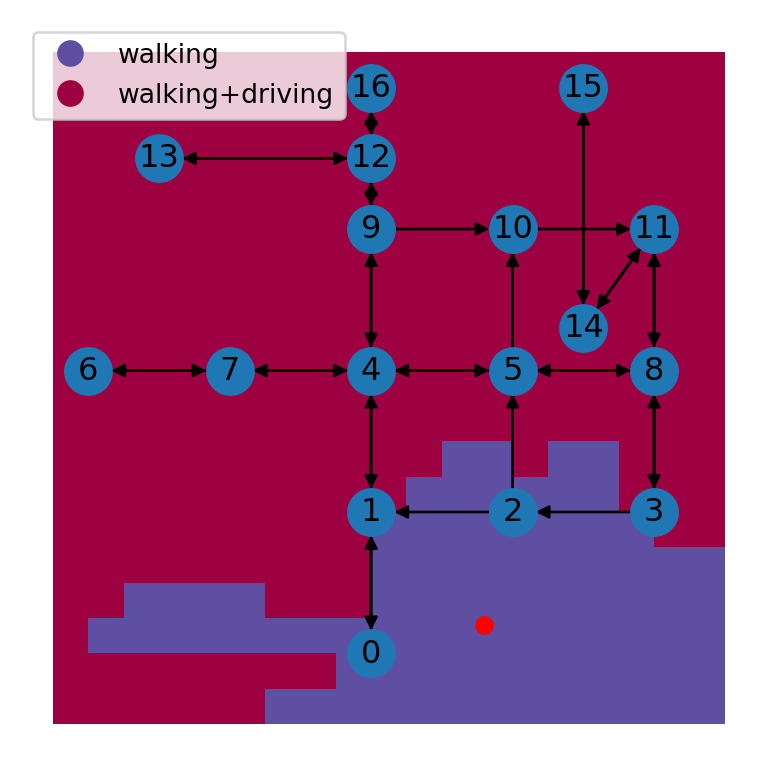
Solution 09-03
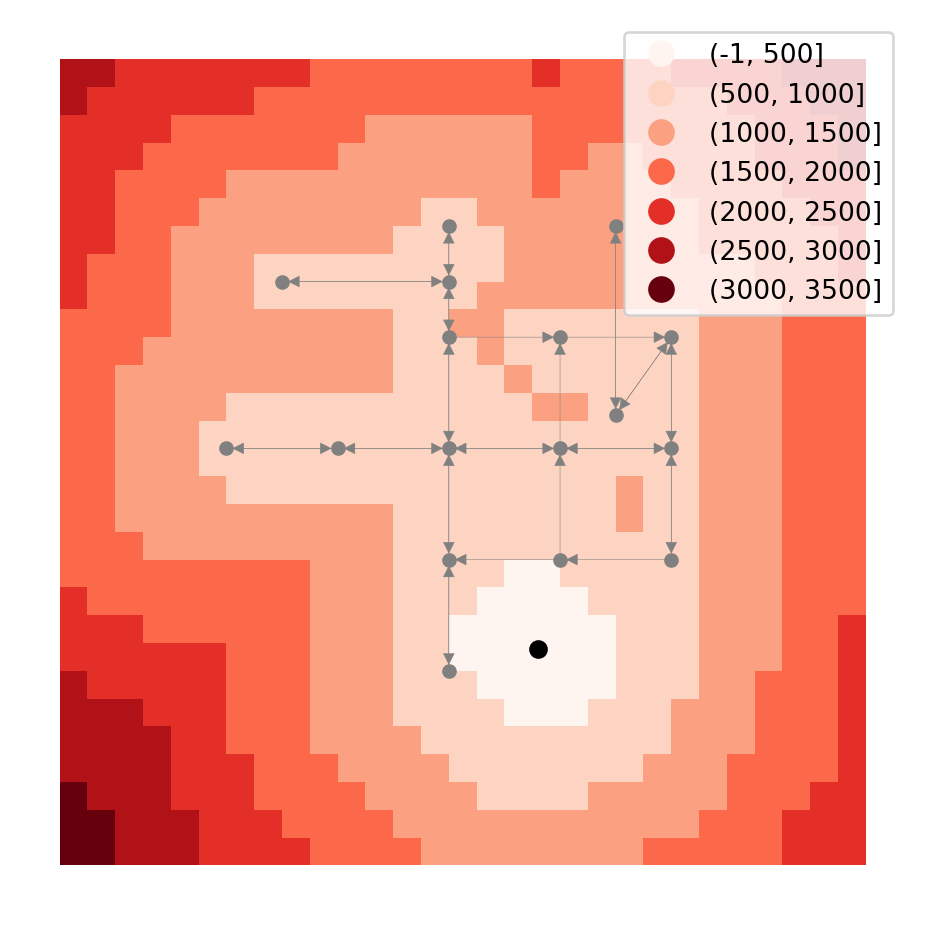
Solution 10-01
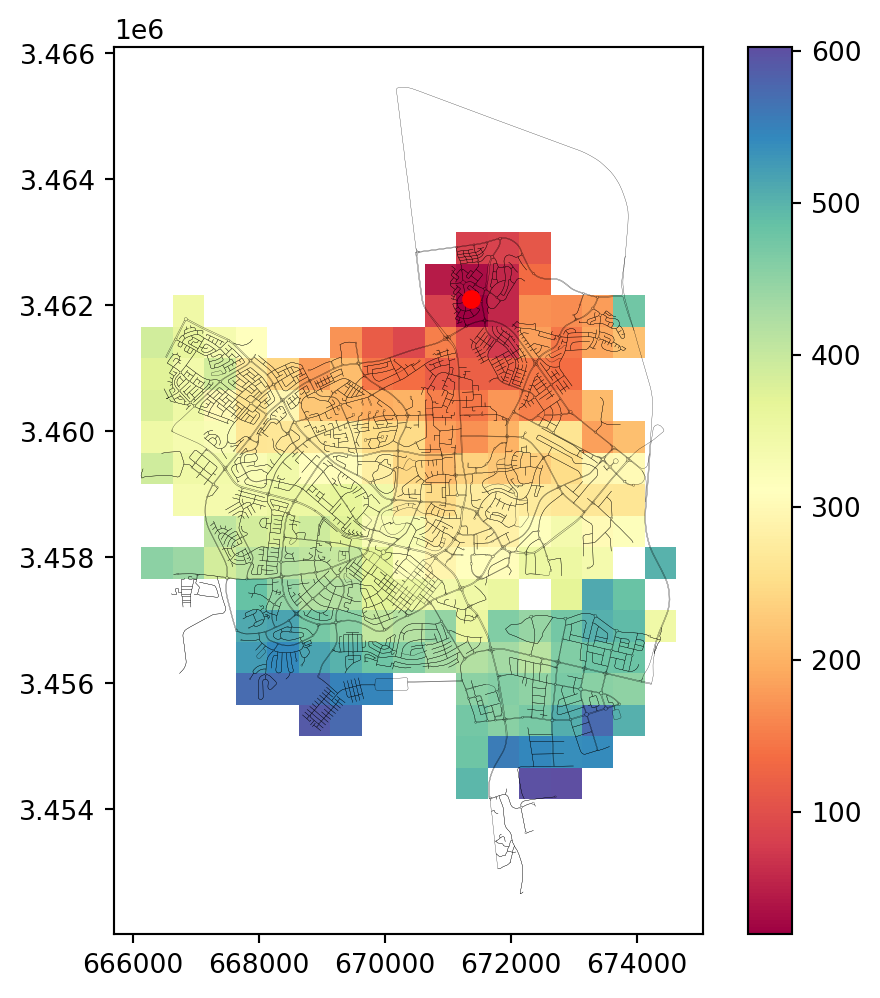
Solution 10-02
import matplotlib.pyplot as plt
import pyproj
import shapely
import geopandas as gpd
import networkx as nx
import osmnx as ox
import net2
# Read network data
G = nx.read_graphml('output/beer-sheva.xml')
G = net2.prepare(G)# Function definition
def find_route(G, orig, dest, crs):
transformer = pyproj.Transformer.from_crs(4326, crs, always_xy=True)
orig = ox.geocoder.geocode(orig)
dest = ox.geocoder.geocode(dest)
orig = shapely.Point(orig[1], orig[0])
dest = shapely.Point(dest[1], dest[0])
orig = shapely.transform(orig, transformer.transform, interleaved=False)
dest = shapely.transform(dest, transformer.transform, interleaved=False)
route = net2.route2(G, orig, dest, 'time')
return route# Function call example
route = find_route(
G,
'Turner Stadium, Beer-Sheva',
'Cinema City, Beer-Sheva',
32636
)
route['weight']377.51506119393326# Plot route
edges = net2.edges_to_gdf(route['network'])
route1 = net2.route_to_gdf(route['network'], route['route'])
base = edges.plot(color='grey', linewidth=0.2)
route1.plot(ax=base, color='red');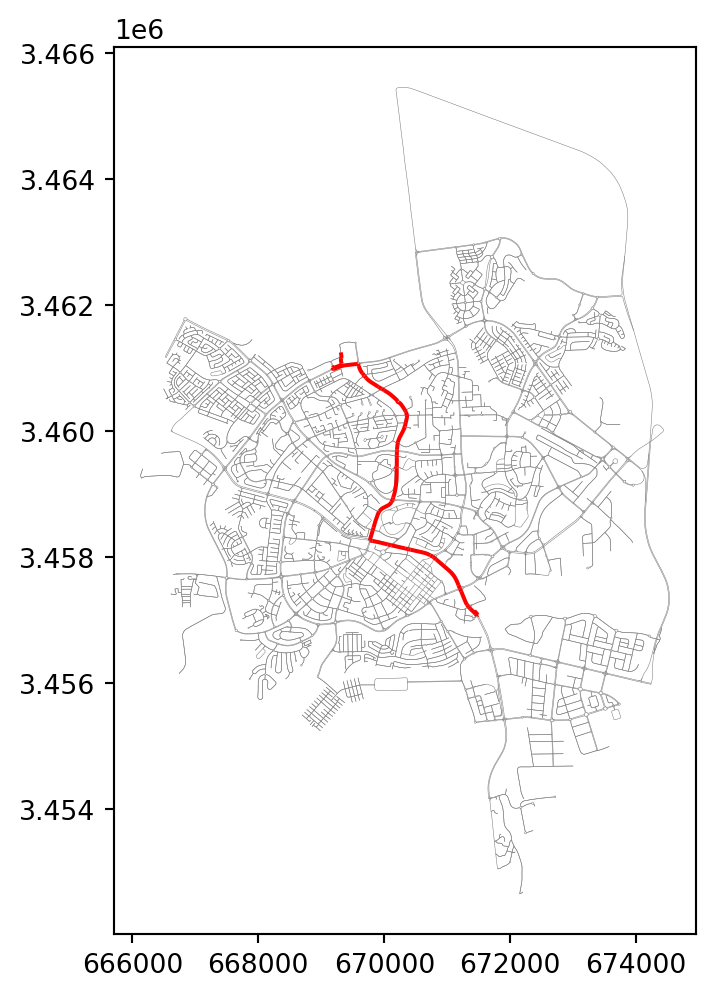
Solution 10-03
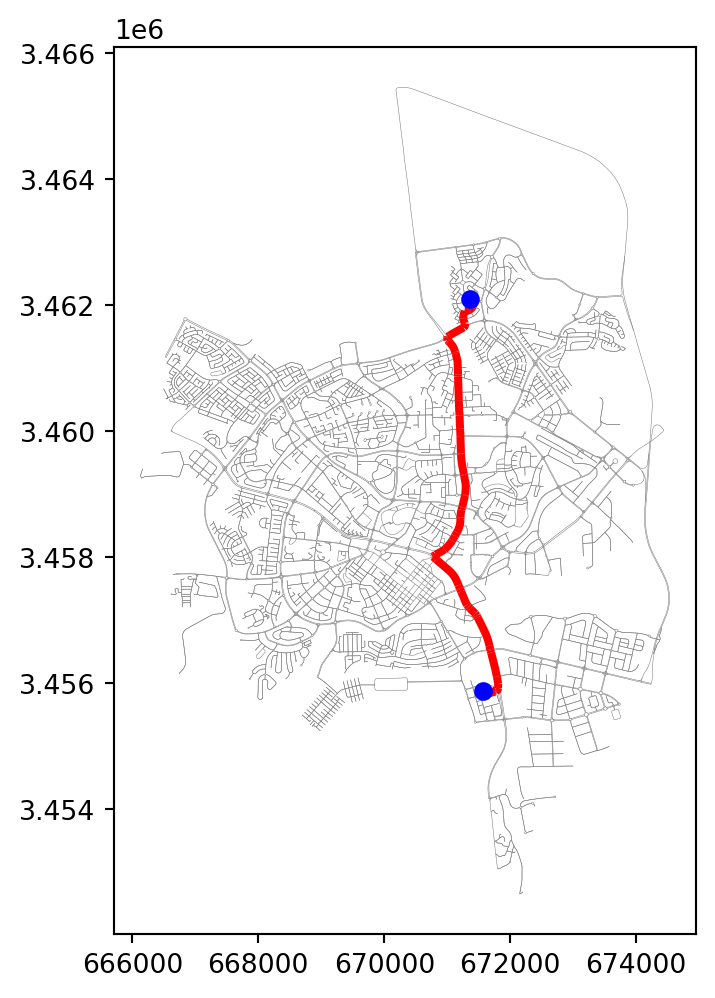
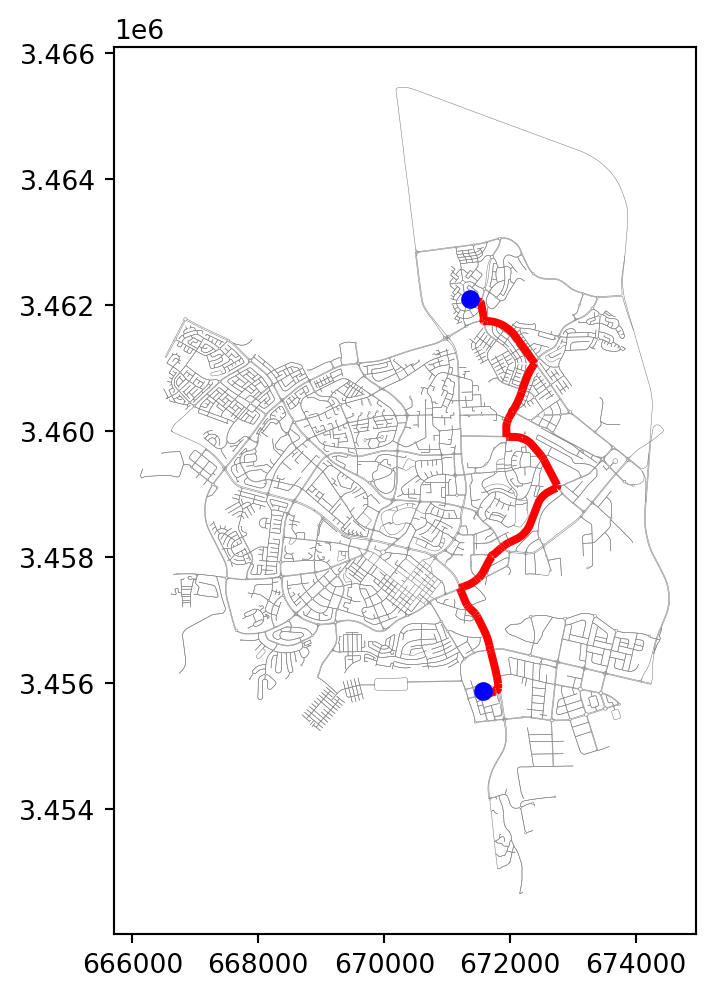
Solution 11-01
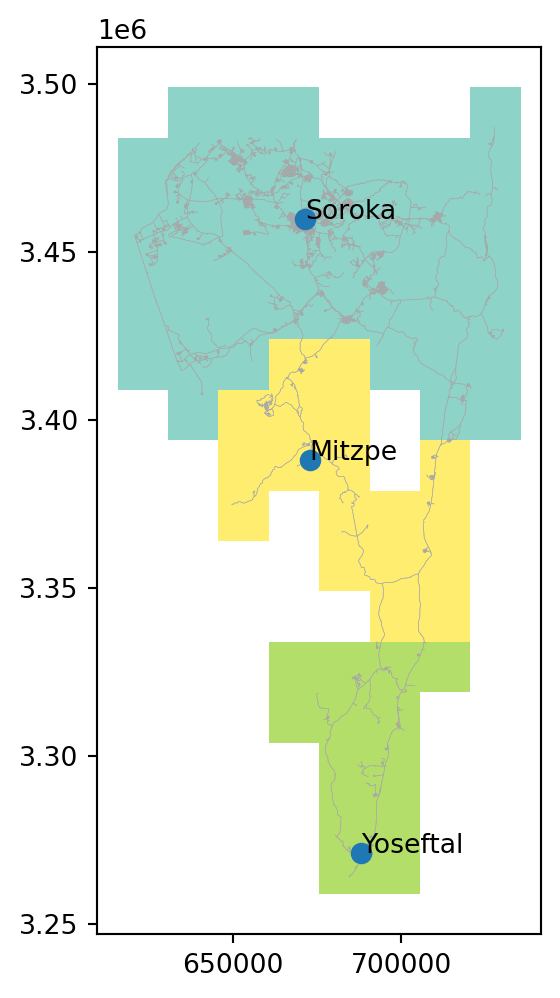
Solution 11-02
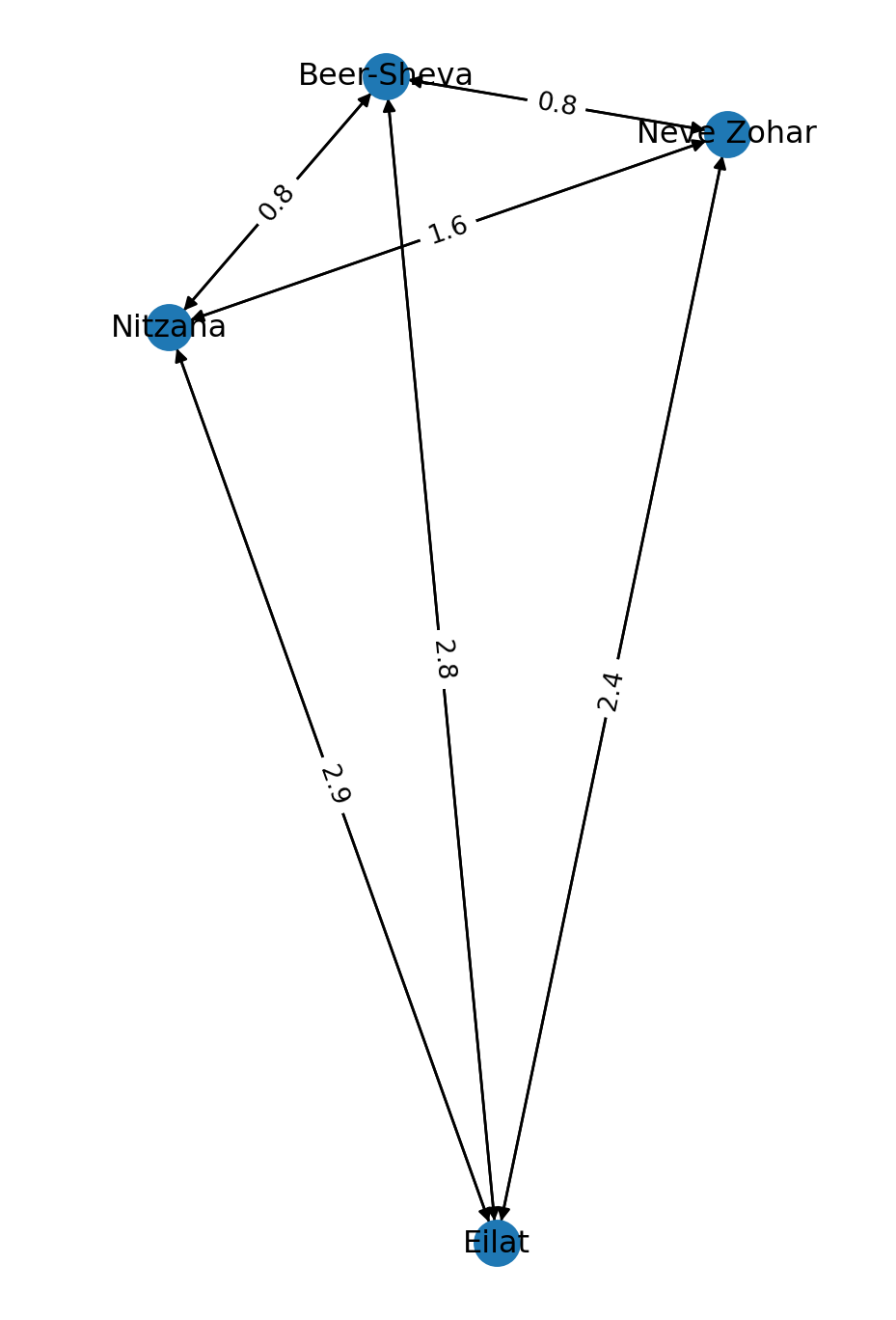
Solution 11-03
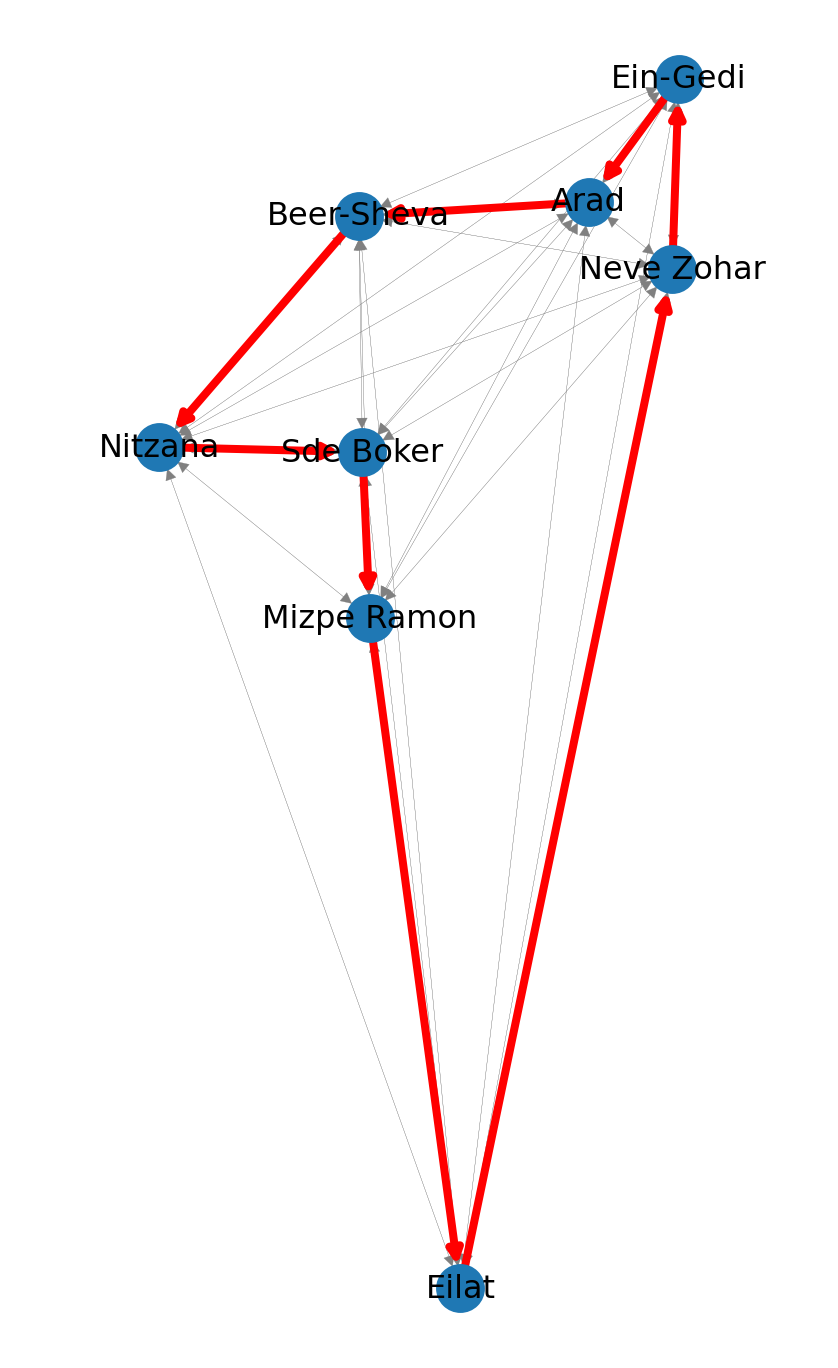
Solution 12-01
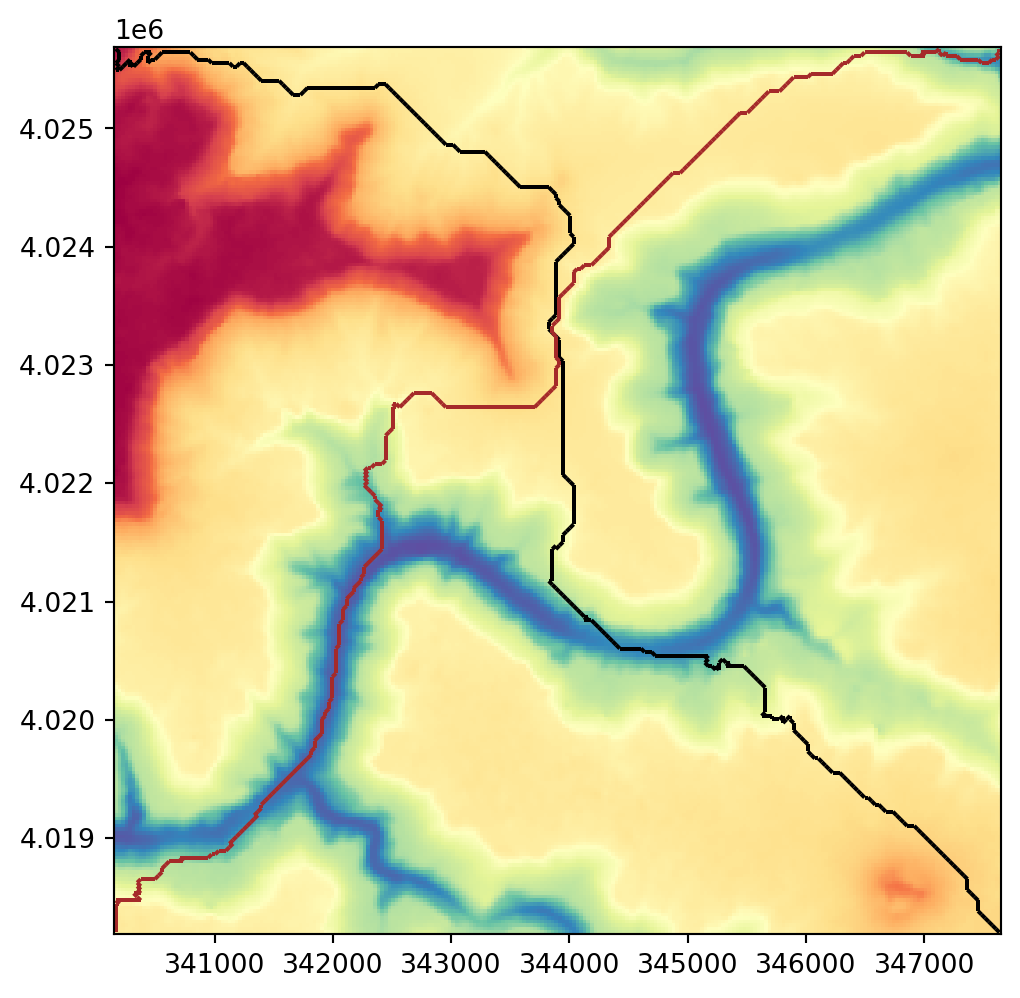
Solution 12-02
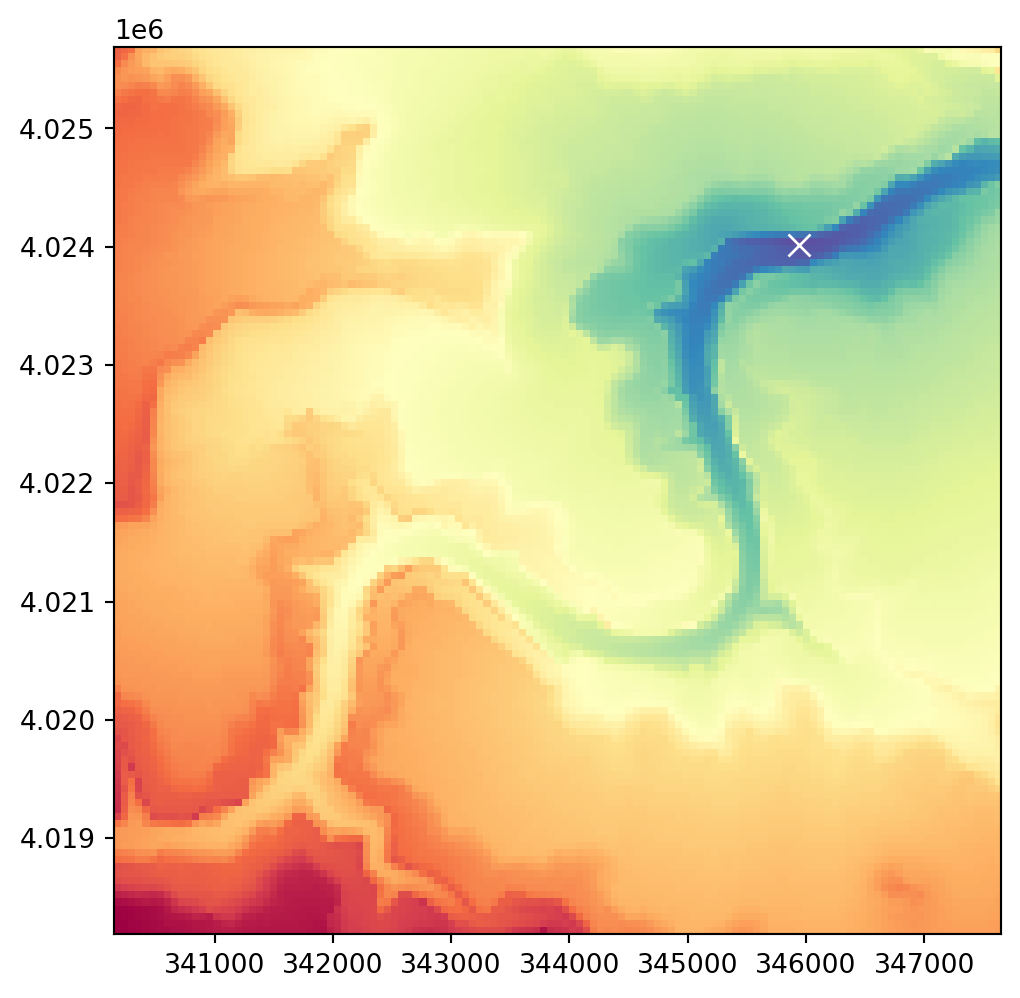
Solution 12-03
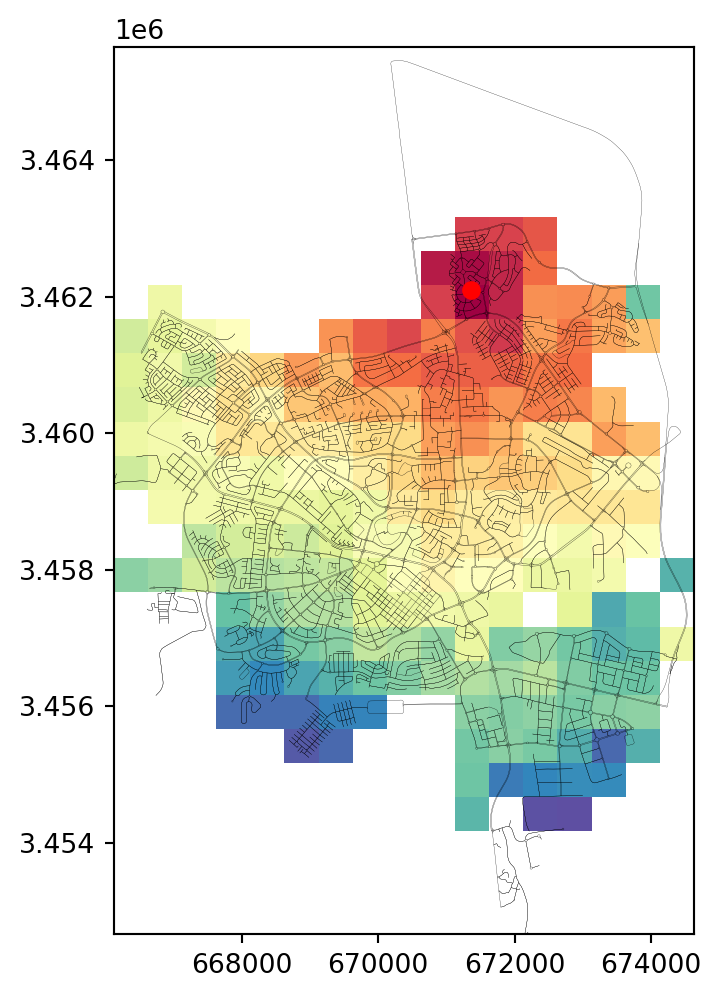
Solution 13-01
9205.547047891798Solution 13-02
import fastapi

app = fastapi.FastAPI()

@app.get("/")
async def lonlat_to_utm(lon: float, lat: float):
    import math
    utm = (math.floor((lon + 180) / 6) % 60) + 1
    if lat > 0:
        utm += 32600
    else:
        utm += 32700
    return utm
Solution 13-03